
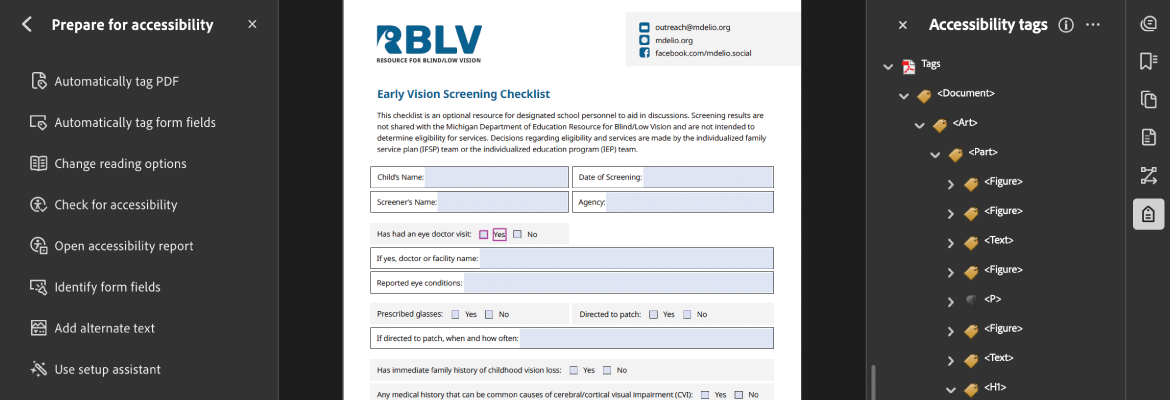
Creating accessible documents is an integral part of our work, and it requires thoughtful planning and intentional design. We are committed to providing equal access to information for everyone, regardless of their abilities or disabilities. By incorporating accessibility best practices, we ensure that our documents don’t just pass accessibility checkers but are truly usable.
The following practices reflect the standards our organization follows to ensure all materials are fully compatible with screen readers:
Use Proper Headings and Document Structure
We organize every document using clear heading levels to establish a logical structure. Screen readers rely on these headings to help users navigate, so we use true heading styles (H1, H2, H3, etc.) rather than visual formatting alone.
Write Descriptive Links and Buttons
To support meaningful navigation, we ensure that all links and buttons clearly describe their purpose. Instead of vague language like “click here,” we use action-oriented text such as “download the report” or “submit the request.”
Include Accurate Alternative Text for Images
Since screen readers cannot interpret images, we provide concise, descriptive alternative text that conveys the essential information or purpose of every graphic used in our documents. When graphs or charts are used, we provide alternative text to describe the data.
Create Accessible Tables
When tables are necessary, we structure them with proper header and data cells so screen readers can follow the information logically. We also avoid using tables for layout purposes, which can disrupt accessibility.
Design Accessible Forms
Any forms we produce, whether digital or PDF, include correctly associated labels for every form field. This ensures that screen readers can identify each input and communicate it clearly to the user.
Use High Contrast and Legible Fonts
Our design standards include appropriate text contrast, readable font sizes, and clean sans-serif typefaces. These choices support both visual clarity and compatibility with screen reader output.
Tag Documents Appropriately
For formats like PDFs, we apply proper tagging so screen readers can recognize the document’s structure, including headings, paragraphs, lists, and tables. This prevents gaps or misread content.
Helpful Tip
Many documents are available on rblv.org, and each one has been carefully designed and reviewed for accessibility. However, when a user selects a link to a PDF, the file opens within the web browser. Although most browsers can display PDF documents, they do not reliably support all accessibility features required for proper screen-reader functionality.
To ensure full accessibility, download the PDF from the browser and open it using Adobe Reader or another dedicated PDF reader that fully supports accessibility features.